Visual learning lab

Learn cybersecurity by spotting patterns, not reading walls of text.

Explore quick visuals, realistic examples, short videos, and click-to-open safety playbooks. Each topic shows what to notice and what to do next.


How to use this page: Scan the visual first, read the short warning signs, then open the playbook if you want exact steps.

The Digital Defense Pattern

Most everyday cyber attacks follow the same path. Learn this loop and the details get easier.

1

Pause

Slow down urgent messages.

2

Verify

Use official apps or known numbers.

3

Protect

Use unique passwords, MFA, and updates.

4

Report

Save evidence and tell the right place.

Picture the threat

Visual examples before the details.

Use these snapshots to recognize what scams and safer account habits look like in everyday life.
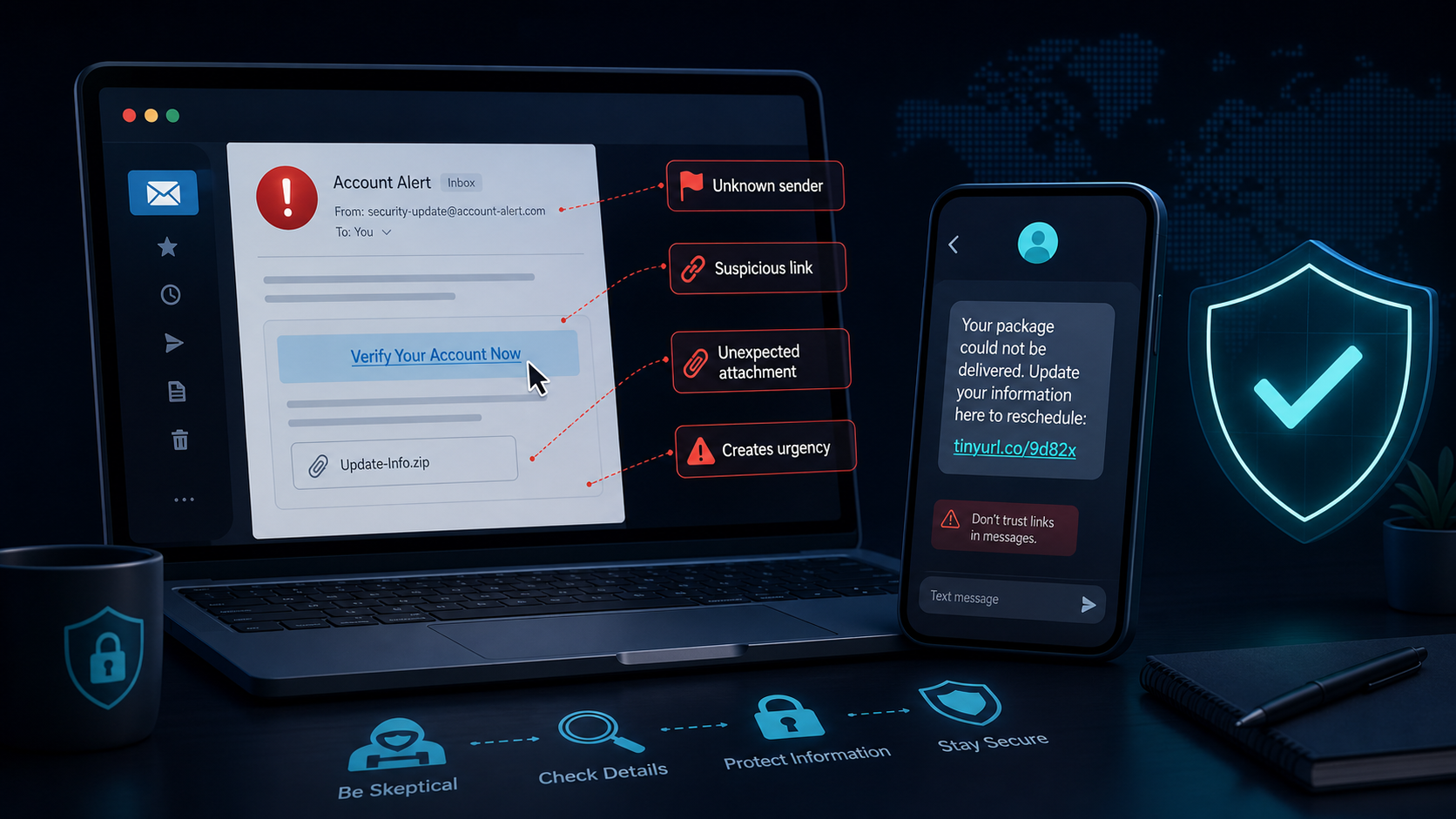
Illustration of a phishing email and scam text with red flag callouts.
Phishing and textsLook for fake senders, urgent links, and unexpected attachments.
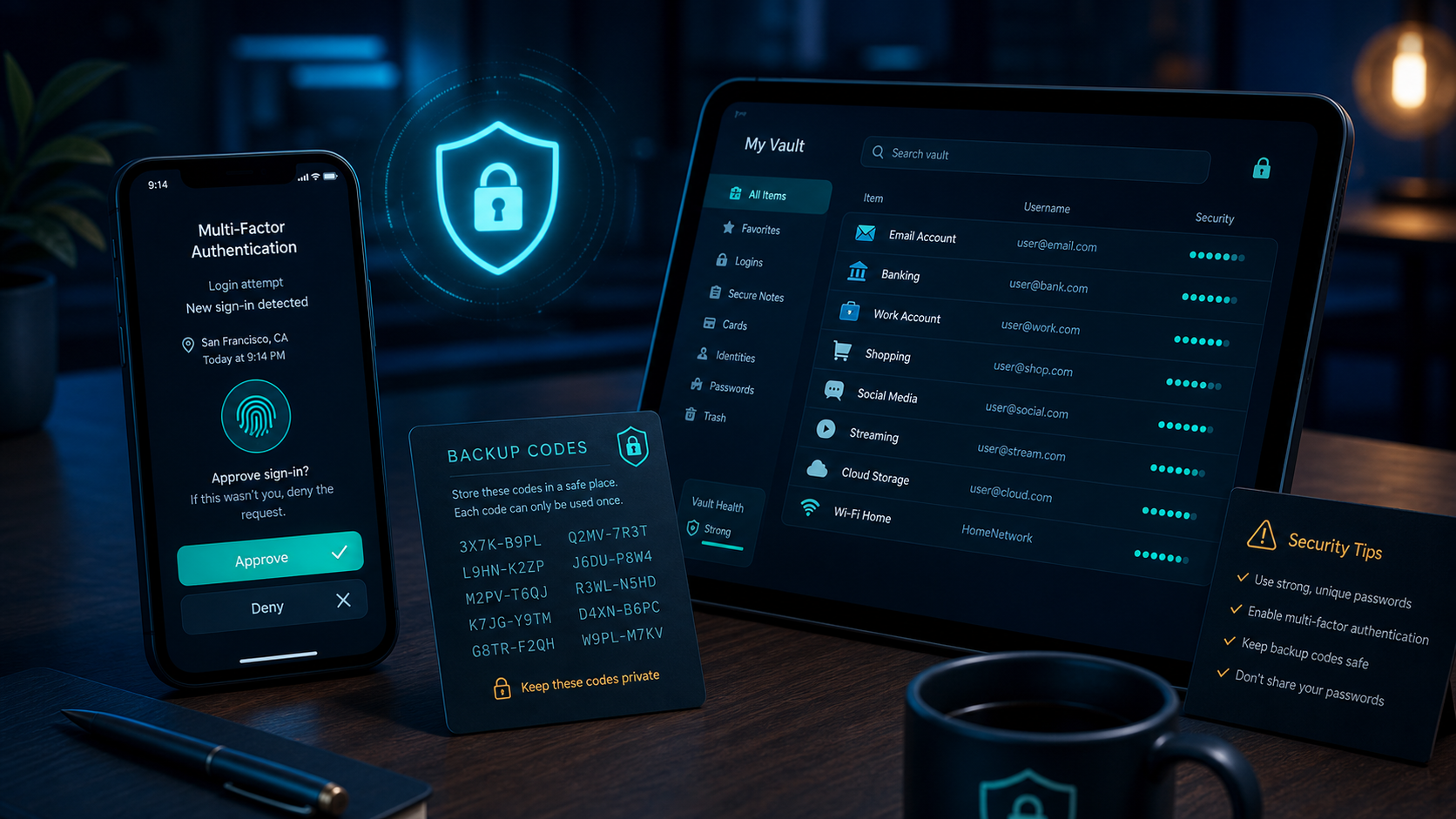
Illustration of an MFA prompt, backup codes, and a password manager vault.
Account protectionUnique passwords, MFA, and backup codes work together.
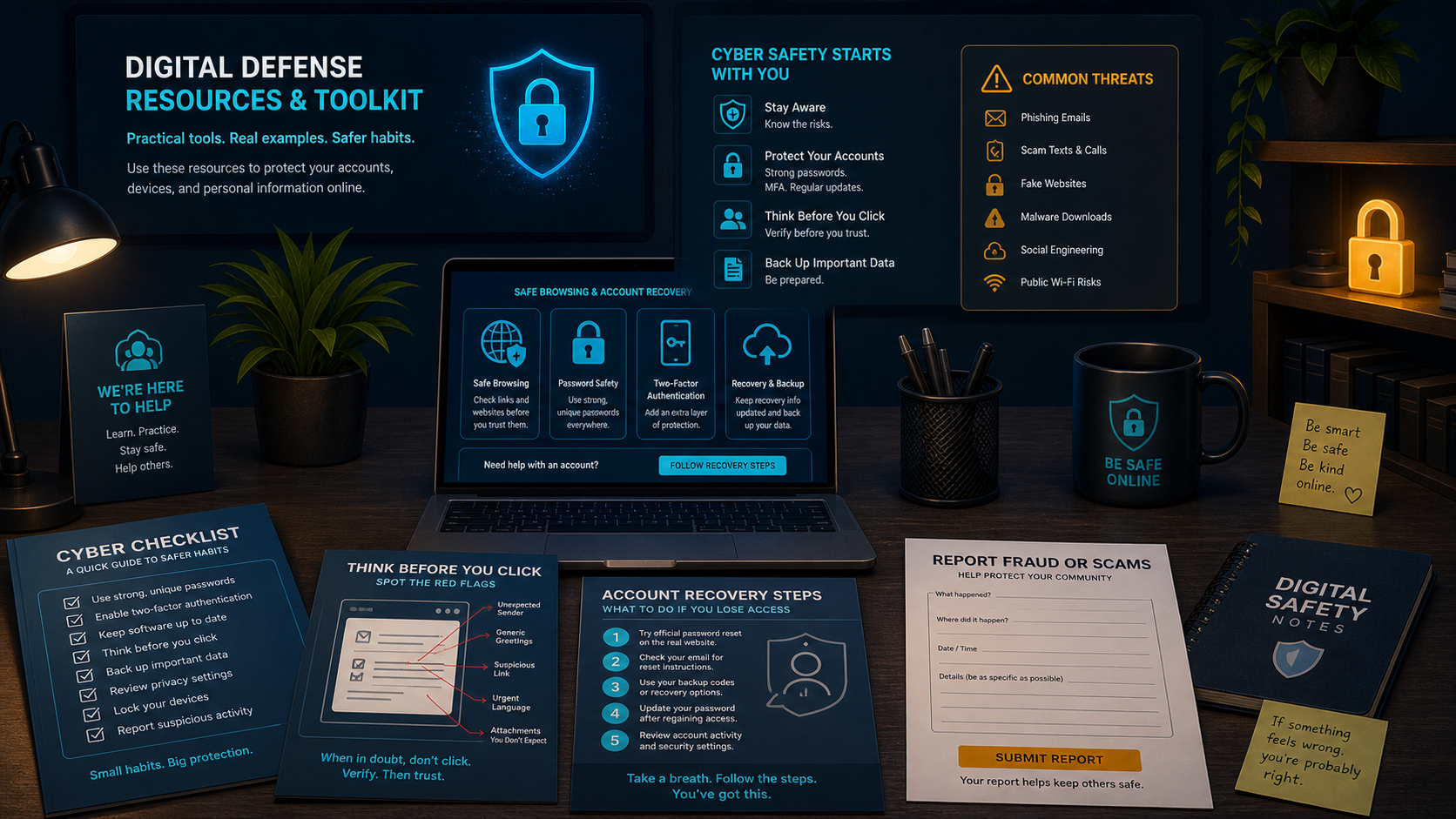
Illustration of cybersecurity checklists, recovery steps, and safety resources.
Recovery toolkitKeep steps, evidence, and official help links close by.

Core habit

Password Security

Definition: Password security means using login passwords that are hard to guess and not reused across accounts.

Goal: one unique password per important account, stored safely.

Look for reused passwords first because one leaked password can unlock several accounts.

Why it mattersIf one site gets hacked, attackers try the same password on email, banking, school, and social accounts.
What to doUse long unique passwords and let a password manager remember them.
Start hereChange your email password first because email resets many other accounts.
PW

Strong Pattern

password123
BlueTiger!27
Coffee-Mountain-Planet-Train-93

Password Manager View

EmailUnique
BankUnique
ShoppingReuse

Fix reused passwords on email, banking, school, and social accounts first.

CISA: Strong Passwords

Use this quick official video to reinforce long, unique passwords.

Open the 3-step password playbook
1Secure email first.
2Replace reused passwords.
3Store backup codes privately.

Second proof

Multi-Factor Authentication

Definition: Multi-factor authentication, or MFA, is an extra login step that proves it is really you.

MFA means a stolen password is not enough by itself.

Look for accounts where a second login check can stop someone who already has your password.

What it meansMFA asks for another proof, like an app code, push prompt, or security key.
Why it helpsA password thief still needs the second proof before getting in.
Be carefulOnly approve prompts when you are the one logging in.

Login Check

New sign-in? Approve only if it was you.
DenyApprove

Better MFA Choices

Strong

Authenticator app or security key

Better than nothing

Text-message code

Danger

Approving prompts you did not request

CISA: Turn On MFA

Shows why a second proof protects accounts when passwords leak.

What if you get an MFA code you did not request?
Do not approve it. Change the password from the official website, review account activity, and report the incident to the site officials.

Most common attack

Phishing, Smishing, and Scam Detection

Definition: Phishing uses fake emails, websites, or messages to trick you. Smishing is phishing through text messages.

Smishing: Smishing is a scam text that may claim a package, bank alert, prize, or account problem needs immediate action.

These scams pretend to be trusted so you click, pay, or reveal information.

Look for pressure, strange links, password/code requests, and messages that feel unusually urgent.

What it looks likeA fake email, text, QR code, or website copies a real company or person.
The goalScammers want passwords, login codes, money, gift cards, or personal information.
Safe responseDo not use the message link. Open the real app or website yourself.

Your account will close in 2 hours. Confirm your password to restore access.

Verify Account

How To Spot It

  1. Sender: unexpected or misspelled?
  2. Link: official domain or look-alike?
  3. Request: password, code, money, or card?
  4. Emotion: fear, urgency, prize, secrecy?

CISA: Avoid Phishing

Practice spotting fake senders, urgent language, and suspicious links.

Clicked a suspicious link?
1Close the page.
2Change password from the official site.
3Turn on MFA.
4Report and save evidence.

People hacking

Social Engineering and Deepfakes

Definition: Social engineering is when someone manipulates your trust or emotions to get you to do something unsafe.

Scammers use trust, identity, and emotion to bypass careful thinking.

Look for requests that ask you to keep secrets, rush, send money, or share a login code.

What it meansThe attacker manipulates people instead of breaking technology.
Common trickThey pretend to be a friend, boss, tech support worker, bank, or family member.
Safe responsePause and verify through a separate trusted channel before acting.

Fake Friend Message

I got locked out. Send me the code you just received.
New accountCode requestPressure
Safer response Call the friend from a known number before replying. Never share login or MFA codes.

Real Example

A copied profile or cloned voice asks for money, secrecy, or a login code.

Safe Move

Contact the person through a known number or account.

FTC: Impersonation Scams

See how scammers use authority, fear, and fake support scripts.

Daily habit

Safe Browsing and Downloads

Definition: Safe browsing means checking websites, links, downloads, and apps before trusting them.

Most malware tricks people into installing it or entering data on a fake page.

Look for fake domains, surprise downloads, popups, and apps from places you do not recognize.

What can go wrongFake pages can steal logins, and unsafe downloads can install malware.
Safer habitUse official app stores, typed bookmarks, browser updates, and trusted sites.
Warning signA page says your device is infected and pushes an urgent download.

Safe vs Risky

Safe

Official app store, typed URLs, browser updates.

Risky

Popups, cracked apps, unknown extensions, surprise downloads.

CISA: Secure Our World

Connects updates, passwords, MFA, and scam reporting into one habit loop.

Network safety

Public Wi-Fi

Definition: Public Wi-Fi is internet access shared by many people in places like schools, cafes, airports, and libraries.

Fake hotspots can copy familiar names and capture traffic or passwords.

Look for network names that are almost right, too generic, or not confirmed by the location.

What it meansPublic Wi-Fi is shared, so you have less control over who else is nearby.
Main riskA fake network can use a trusted-sounding name to get people to connect.
Safer habitAsk for the official network name and use mobile data for sensitive tasks.

Choose Carefully

CafeGuestAsk staff
CafeGuest-Free-FastFake?
Airport_5G_FreeVerify

Public Wi-Fi Checklist

  1. Confirm the exact network name.
  2. Avoid banking on unknown networks.
  3. Turn off auto-join.
  4. Use mobile data for sensitive tasks.
Before you connect Ask staff for the official network name. Use a VPN when available. Forget the network when you leave.

FTC: Public Wi-Fi Safety

Learn what to check before using shared networks in public places.

Recovery skill

Identity Theft and Account Recovery

Definition: Identity theft happens when someone uses your personal information or account access without permission.

Fast action limits damage when personal information or an account is exposed.

Look for the fastest safe next step: secure the account, contact support, save evidence, then report.

What it meansSomeone may use your account, payment details, or personal information without permission.
First prioritySecure important accounts, especially email, banking, school, and social media.
Keep proofSave screenshots, sender names, links, receipts, and dates before deleting anything.

If Something Goes Wrong

NowChange passwords and MFA.
TodayContact bank or school support.
This weekReview credit, recovery info, and logins.

Keep Evidence

ScreenshotSenderLinkReceipt

Evidence helps banks, platforms, schools, and fraud reports.

FTC: Protect Your Identity

Use official recovery steps when personal information may be exposed.

Trusted links

Helpful resources while you learn.

Use these when you want official guidance, scam help, or recovery steps.

CISA Secure Our World

Simple public cybersecurity habits.

Visit

FTC Consumer Advice

Scam, fraud, and consumer safety help.

Visit

IdentityTheft.gov

Step-by-step identity theft recovery plan.

Visit

ReportFraud.ftc.gov

Report scams and fraud to the FTC.

Visit